
Blog #3
This small exercise is based on Inclusive – A Microsoft Design Toolkit Activity Cards.
According to University of Cambridge, “every design decision has the potential to include or exclude customers. Inclusive design emphasizes the contribution that understanding user diversity makes to informing these decisions, and thus to including as many people as possible. User diversity covers variation in capabilities, needs and aspirations”. To my understanding design is a design method approach aiming to make the design as accessible to as many people as possible. Modern research shows that designing for a certain group of people with specific needs will also benefit others who are not the intended audience and helps solve the problems many people might have. Inclusive design is a relatively new method and is the future of designing with the human-centered approach in mind.
It is very important for designers to understand this method and concept because as designers we are responsible for many things that can affect the public’s accessibility to use certain designs, services, or products. Understanding inclusive design means understanding other people struggles and we can help create solutions that can benefit as many people as possible.
Empathy exercises are extremely useful for designers to conduct because we can put themselves in other people’s shoes and design based on new constraints that they normally would not think about. This makes us become a better designer, gain more experience, and be more intuitive when designing future projects.
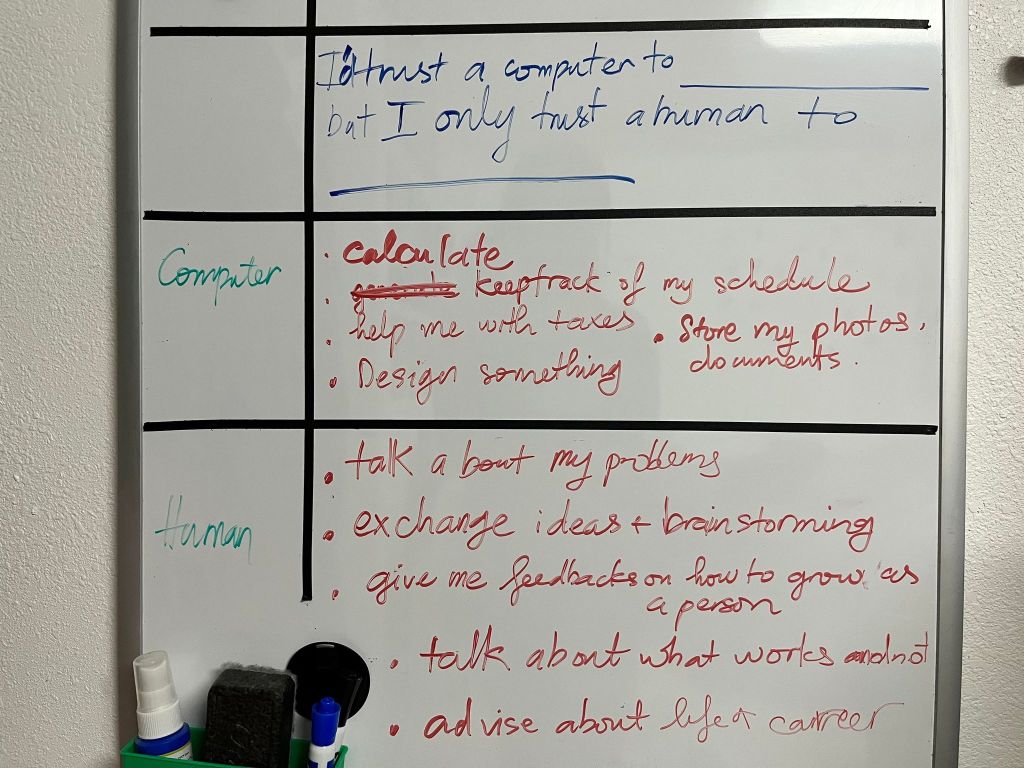
The series of empathy activities I conducted include five different categories: Get Orient, Frame, Ideate, Iterate, and Optimize. I picked out randomly one activity from each group and follow their instructions. For Get Oriented, I picked Computer Trust, we I had to fill out the blanks for this sentence “I’d trust a computer to fill in blank, but I’d only trust a human to fill in blank..” as many times as I could in five minutes. The range of responses are totally different. The responses for the computers are quite general, mostly relating to keeping track of tasks, conducting mathematics tasks, and storing insensitive data, while the response for humans is more focused on human emotions and interactions. The question they have was “How could technology behave better to positively impact trust?” I think if they can guarantee there is no threat of leaking personal information, it would have a bigger and more positive impact on trust. Regardings the emotional level support, I don’t think a computer’s interactions will ever be the same as a human’s interactions.
The next 4 activities relate to each other. For Frame, I picked Persona Network. The instruction told us to have a particular person in mind and note their interaction with other people. I imagined a person with vision impaired and their interaction with their spouse, their neighbors, and their coworkers.
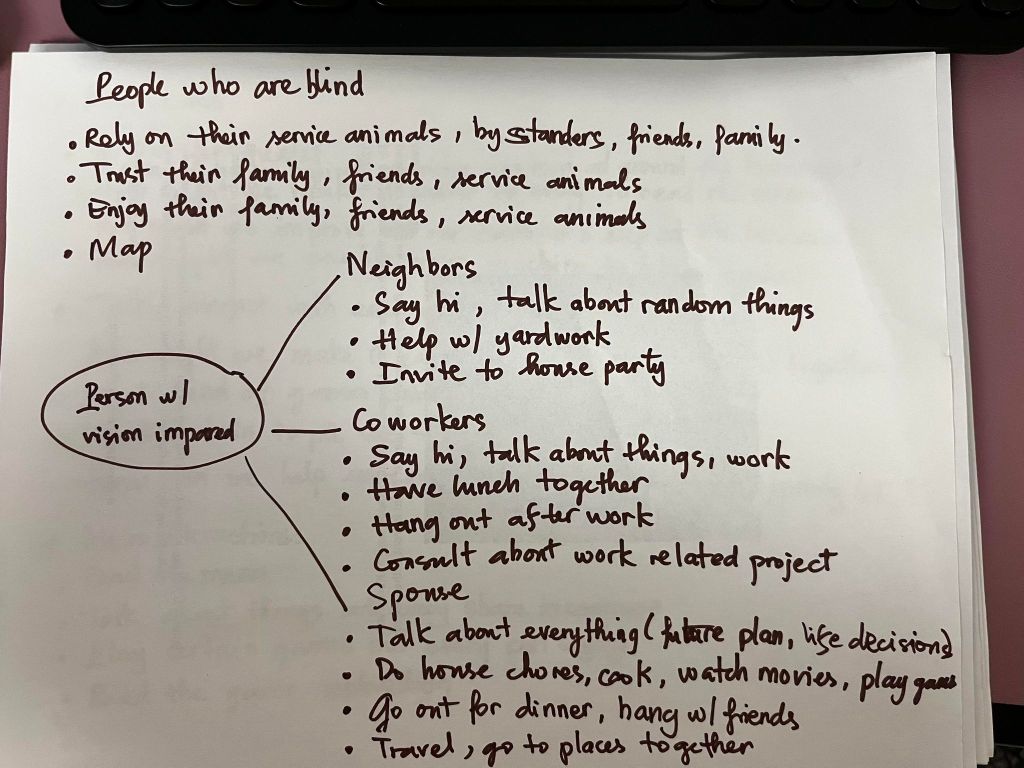
I found that their are some mismatches between them and their environment such as they still hang out and go to dinners with everyone and can have conversations about things. This led to the Ideate – Mismatch to Solution I activity where I needed to make a list of mismatched interactions that they experience and came up with a series of questions to improve the interactions.
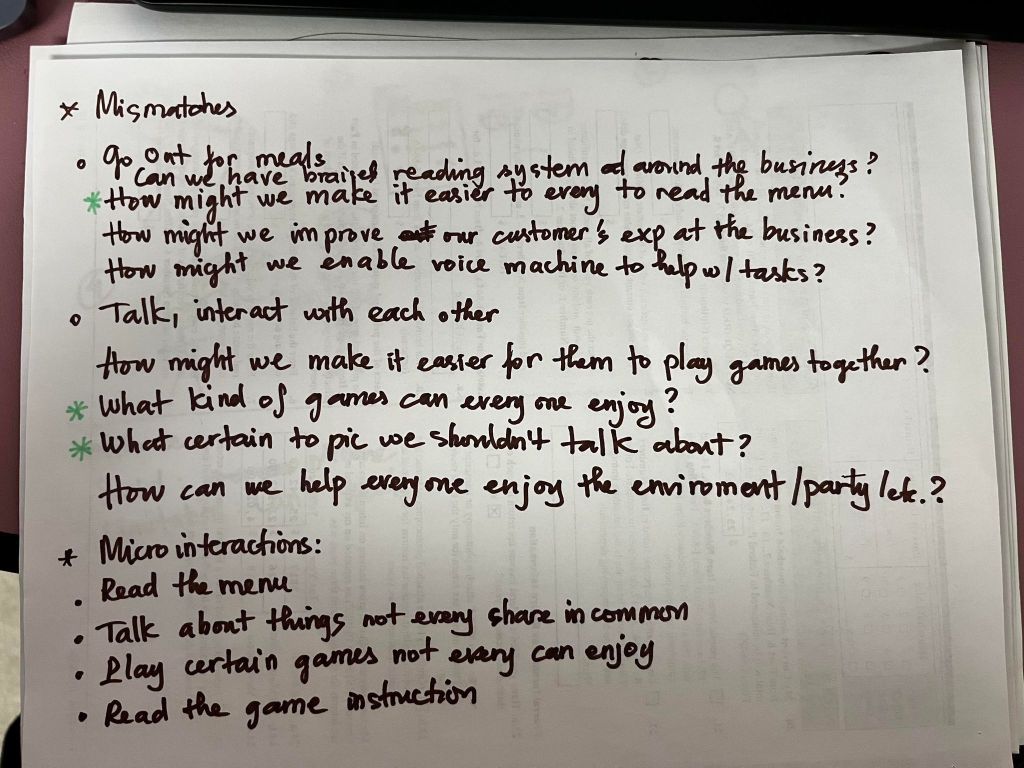
I picked the three I was most interested in exploring further and that led to Iterate stage – Low-Fidelity Prototype where I need to list all the micro interactions and make a quick prototype for it. The microinteraction I pick was Reading the menu as a restaurant while dining with friends. This person has low visibility and could not read the menu, so he asked his friend for help with that.
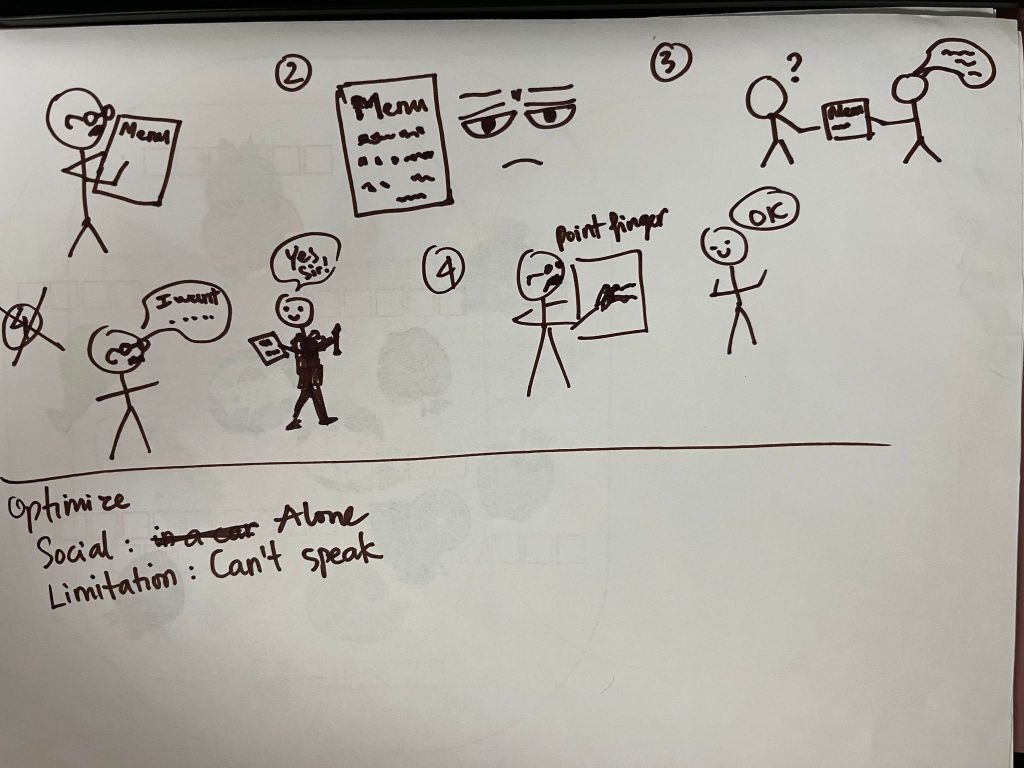
The last step was Optimize stage – Context and Capability Match. I had to pick either a Physical or a Social context card and a Temporary/Situational Limitation card and see if the solution adapt that combination. I picked Alone as the Social card and Can’t Speak as the Limitation card. My prototype did not consider the person being alone at a restaurant without any friends or family members to help them, so I have to change it to him asking the waiter for help with reading the menu.
This exercise relates to many of my past projects. I did not really consider a person with disability as my audience before, so sometimes I would use a combination of colors that is hard to read for people who are colorblind. This is only a small example of how not considering them as my audience can negatively affect my design. People don’t go around telling everyone about their disabilities, but as designers and as human beings, we need to be considerate and keep accessibility and user experience in mind while creating designs. That is also my biggest take away from this empathy exercise.
Click the link if you want to learn more about Inclusive Design and Activity Cards provided by Microsoft and thank you for reading my blog.
 Mimi Nguyen's Design